Platform
3D object management for models, scans and technical assets
Large collections of 3D models, scans, drawings and revisions quickly become difficult to control. 360Models organizes them in one object library and uses access rights to determine who can view, edit or publish each item.
Short answer
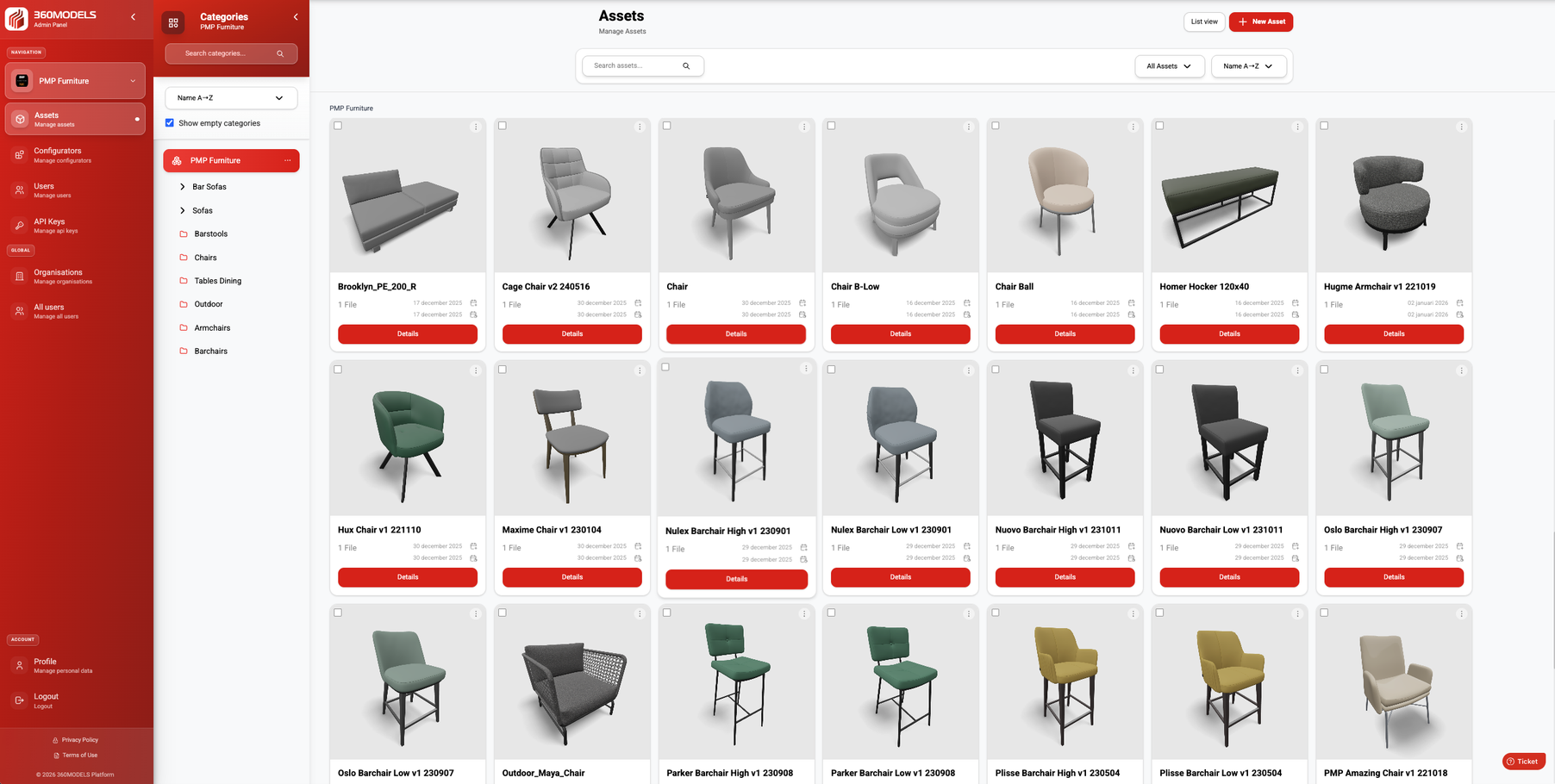
3D object management in 360Models means centrally managing 3D models, scans, point clouds, technical drawings, revisions and metadata. Organization structures and access rights determine who can view or publish what, so colleagues and partners use the right version without repeatedly requesting loose files.
Capabilities
How 360Models puts 3D to work
3D asset management
Host and manage scans, models and technical drawings in one online library, with their information, versions, access rights and publication status.
Variables and meshes
Build a 3D object from multiple meshes: individual 3D components. Use variables for different combinations, without managing a separate complete model for every variant.
Inspection context
Give teams visual context for preparation, inspection, documentation and decisions.
Browser-based viewers
Give colleagues, customers or partners access to 3D context without heavy software.
Measurements and annotations
Connect notes, labels, documents and data to the right place in the 3D environment.
Approach
From source data to daily use
Collect or create 3D data
Start with scans, models, point clouds, CAD, technical drawings or new 3D production.
Structure the assets
Organize assets by organization, category, status, metadata, revision and intended channel.
Add workflow context
Connect annotations, measurements, access rules, documents, API data or inspection information.
Publish and maintain
Use the same managed source for viewers, digital twins, WebAR and integrations.
FAQ
Frequently asked questions
Organize 3D models, scans, point clouds, drawings and revisions in one object library with access rights and controlled publication.
This is useful when teams need to inspect or prepare a physical location without always visiting it. It also helps when scans, point clouds, models and documents need to become usable for non-technical stakeholders.
A typical workflow covers collect or create 3d data, structure the assets, add workflow context, publish and maintain. The exact scope depends on the source data, users and required output.
360Models is used to manage, view, configure, publish and integrate 3D assets, scans, product configurators, digital twins and WebAR experiences.
Yes. Assets can be structured by organization, category, team, status and use case, so the right people can access the right viewers, files or configurators.
Yes. 360Models can publish viewers and configurators through embeds, API integrations and custom frontends.
3D workflows can support OBJ, FBX, GLB, SKP, STP, STL, PLY, LCC, SOG, MAX, DWG, DXF, IFC and SAT, point clouds such as LAS, E57, PTS and PTX, plus JPEG, JPG, PNG, WebP, TIF and PDF.
No. It can be used for products, infrastructure, manufacturing, cultural heritage, real estate, facility management and software platforms.
Yes. The management layer stays in 360Models while viewers, configurators and integrations can be styled for each website, portal, shop or customer environment.
Where could 3D help your team today?
Start with the problem you want to solve. Data and business logic can remain in existing software; 360Models adds only the capture, management and visual 3D application you need.