Integration
Magento 3D product configurator and viewer integration
Magento shops often have large catalogs, many product variants and custom checkout flows. 360Models adds centrally managed 3D viewers and product configurators to that environment.
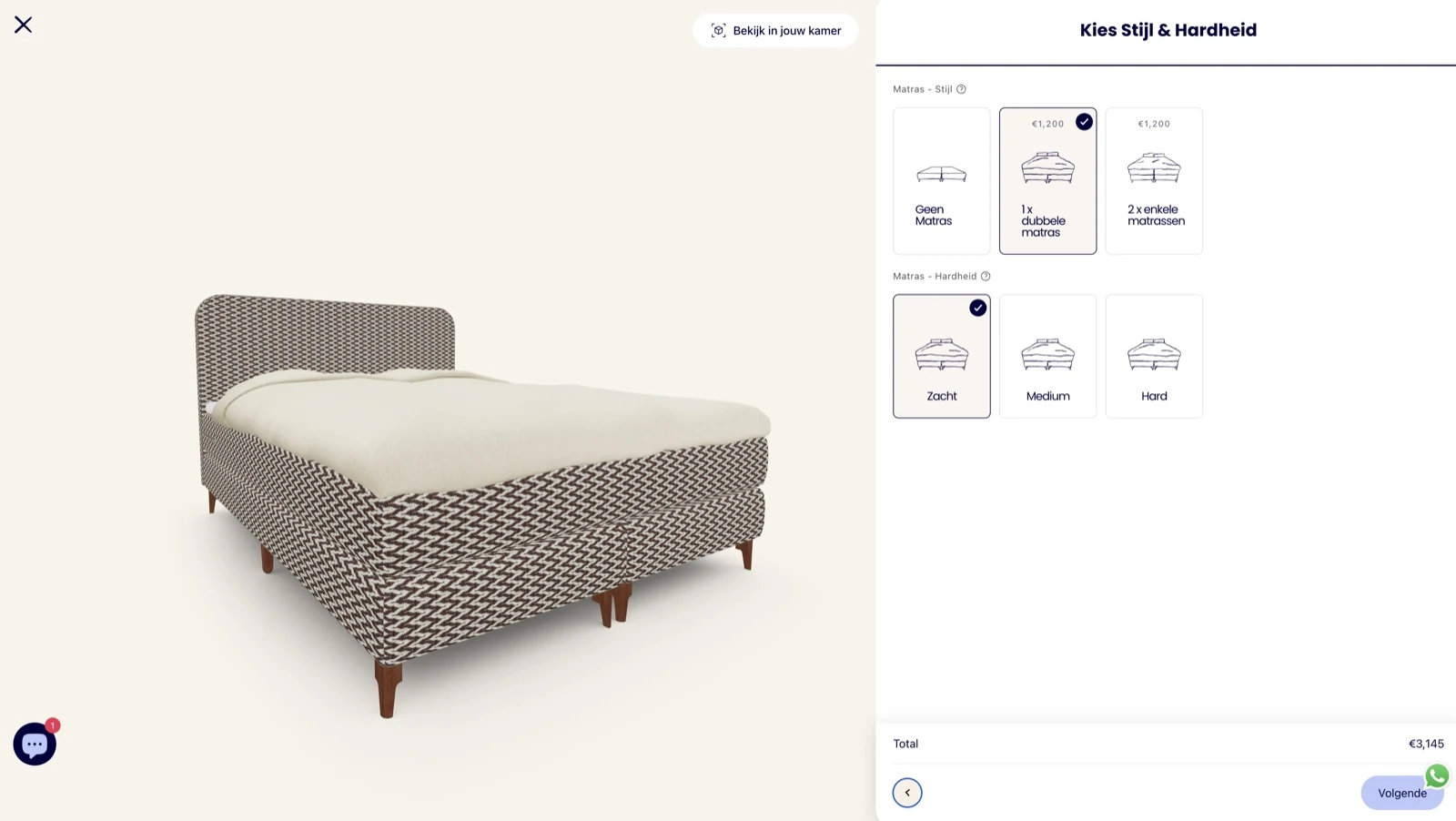
Short answer
A Magento integration connects interactive 3D viewers and product configurators to the webshop. Magento can remain responsible for product data and checkout, while 360Models manages the 3D models, materials, variants and visual configuration rules.
Capabilities
How 360Models puts 3D to work
Magento product viewer
Add interactive 3D visualization to product or configurator pages.
Configurator integration
Connect modules, materials, variants and options to Magento product logic.
API connections
Use APIs to connect with PIM, CPQ, ERP or custom checkout flows.
Central publishing
Manage 3D assets and configurator updates outside the Magento codebase.
Approach
From source data to daily use
Review catalog data
Identify which products, variants and attributes need to be linked to 3D.
Set up 360Models
Manage models, materials, options and configuration rules centrally.
Connect Magento
Integrate through an embed, API or custom frontend component.
Roll out across the catalog
Use templates and management rules to extend the integration to more products or categories.
FAQ
Frequently asked questions
Connect managed 3D viewers and product configurators to Magento catalogs, with API links to PIM, CPQ, ERP and quote workflows for complex ranges.
This is useful when customers need to understand material, color, scale or module choices before they buy. It also helps when sales teams need a clearer way to explain complex product options.
A typical workflow covers review catalog data, set up 360models, connect magento, roll out across the catalog. The exact scope depends on the source data, users and required output.
Yes. 360Models can provide the 3D viewer and configurator alongside Magento, using an embed, API or custom frontend component.
Yes. Central management is especially useful for large catalogs with many variants, materials or product attributes. The model structure and performance optimization are tailored to the size of the range.
Yes. APIs can connect 3D configuration to PIM, CPQ, ERP or custom commerce logic.
Yes. Magento or a connected PIM, CPQ or ERP can continue to manage product data and commercial logic, while 360Models displays the corresponding 3D configuration.
Yes. Selected options can be passed through the API to a dealer portal, CPQ system, quote process or custom workflow.
Where could 3D help your team today?
Start with the problem you want to solve. Data and business logic can remain in existing software; 360Models adds only the capture, management and visual 3D application you need.