Integration
360Models API for 3D viewers, configurators and digital twins
The 360Models API lets developers use managed 3D assets, viewers, configuration logic and publishing information in their own software, webshops or customer portals. Product data, prices, status and documents can remain in the existing source system.
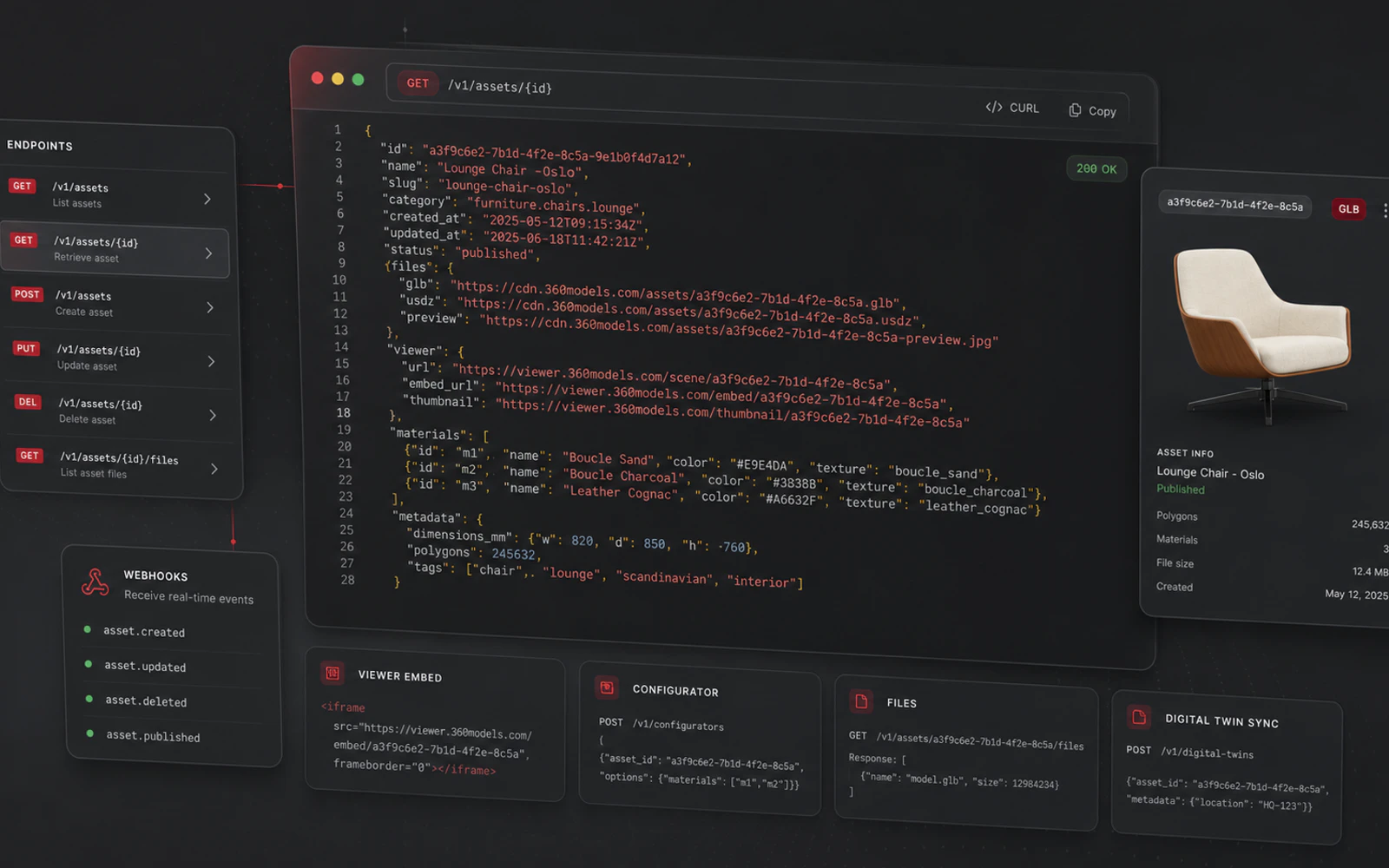
Short answer
The 360Models API lets you manage 3D assets, metadata, viewers, configurators and digital twins centrally. You can then use them in websites, webshops, portals or custom software. Your PIM, CPQ, ERP, GIS or asset system can remain the source of truth, while 360Models provides the visual 3D layer.
Capabilities
How 360Models puts 3D to work
Asset endpoints
Use information about models, metadata, status, categories and publications.
Viewer and configurator embeds
Place managed 3D viewers and configurators in websites, portals and applications, with an interface and styling suited to each channel.
Configurator data
Connect options, materials, variants and configuration results to external workflows.
System integrations
Connect 3D to PIM, CPQ, ERP, CMS, DAM, GIS, asset software or custom applications.
Approach
From source data to daily use
Define the required data
Decide which assets, viewers, configurations or metadata the integration needs.
Configure access and authentication
Agree access per organization, customer, project or publication and how the connection fits existing user management.
Build the frontend
Use API data and embeds in your own React, commerce or portal environment, with channel-specific styling.
Manage centrally
Update assets, configuration logic and publications centrally so connected frontends use the same managed source.
FAQ
Frequently asked questions
It connects managed 3D assets, viewers, configurators, metadata and publication status to external websites and software.
Yes. Your own team can use the API and embeds in an existing frontend with its own styling. 360Models handles the 3D files, publications and related functions.
Yes. The integration can connect product information, configuration and 3D visualization to existing business systems.
Yes. The exact setup depends on the integration, but the existing platform can remain authoritative for user management and authentication.
Yes. A limited integration can validate the technology and user journey before connecting more models or functions.
Product data, prices, users and process information can remain in the existing source system. The integration retrieves what is needed for the 3D experience.
Yes. It can expose models and configurations for products as well as viewers, scans and object information for technical locations.
Connected channels refer to centrally managed models and publications, so an update can become available across the linked applications.
Where could 3D help your team today?
Start with the problem you want to solve. Data and business logic can remain in existing software; 360Models adds only the capture, management and visual 3D application you need.